
Choose and Connect a Domain
Your domain is the web address customers see when they visit your pages, funnels or course. This guide helps you choose the right domain setup before you start publishing.
Before you start
Decide whether Savvy Funnels will use your main domain or a subdomain. If your existing website already uses the main domain, a subdomain is often the safer choice.
Example
Main website: yourbusiness.co.uk (domain or root domain)
Savvy Funnels: learn.yourbusiness.co.uk or go.yourbusiness.co.uk (subdomain)
1. Decide what the domain will be used for
Think about what you are publishing now and what you may add later. A clear, flexible domain is easier to reuse across funnels, pages and courses.
2. Add the domain in Savvy Funnels
Open your domain settings by clicking on the image icon at the top right hand of page.
Select Settings.
Select Custom Domain.
Click Add Domain (box on right hand side)
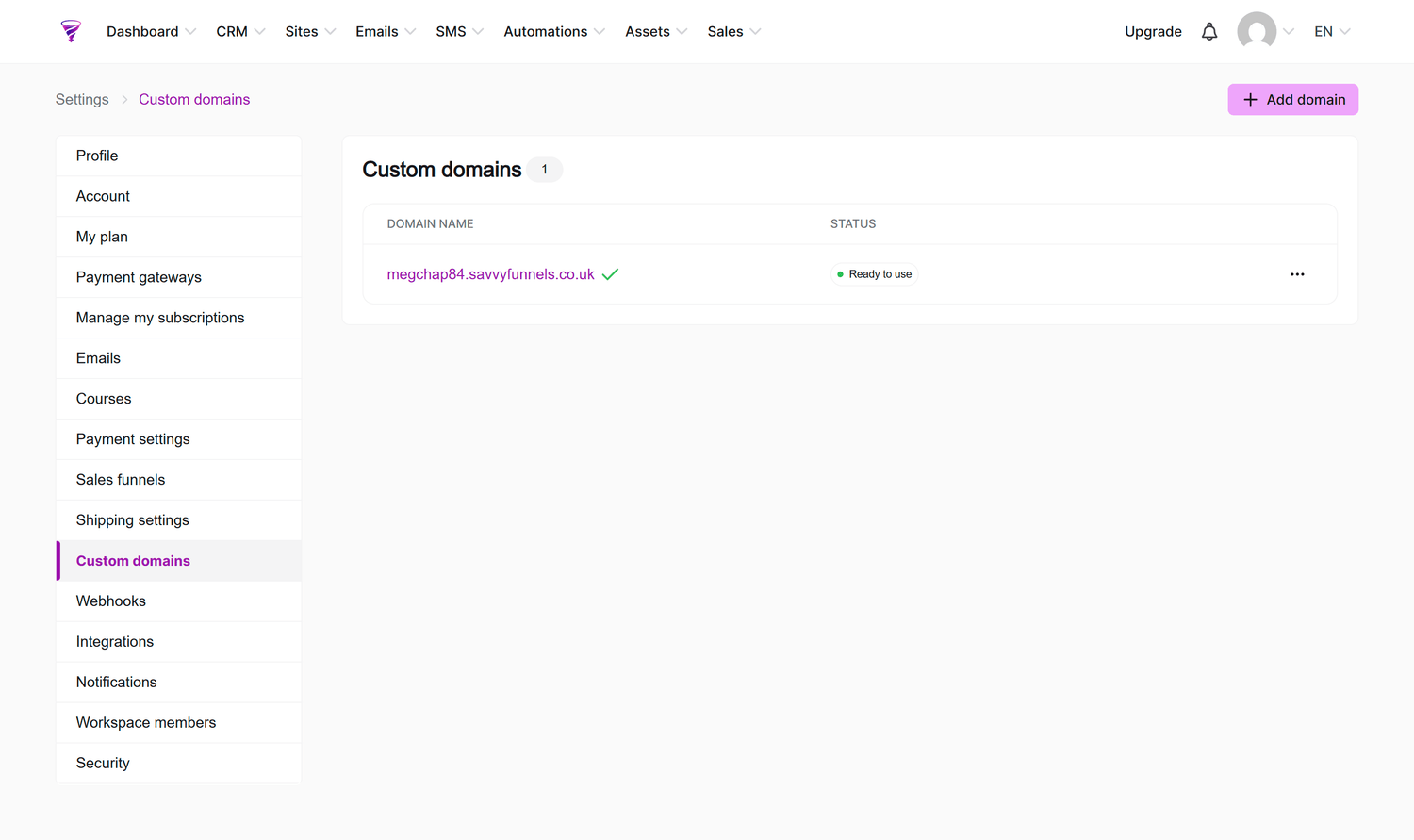
Enter your domain or subdomain
Savvy Funnels will show the DNS records that need to be added with the company that manages your domain.
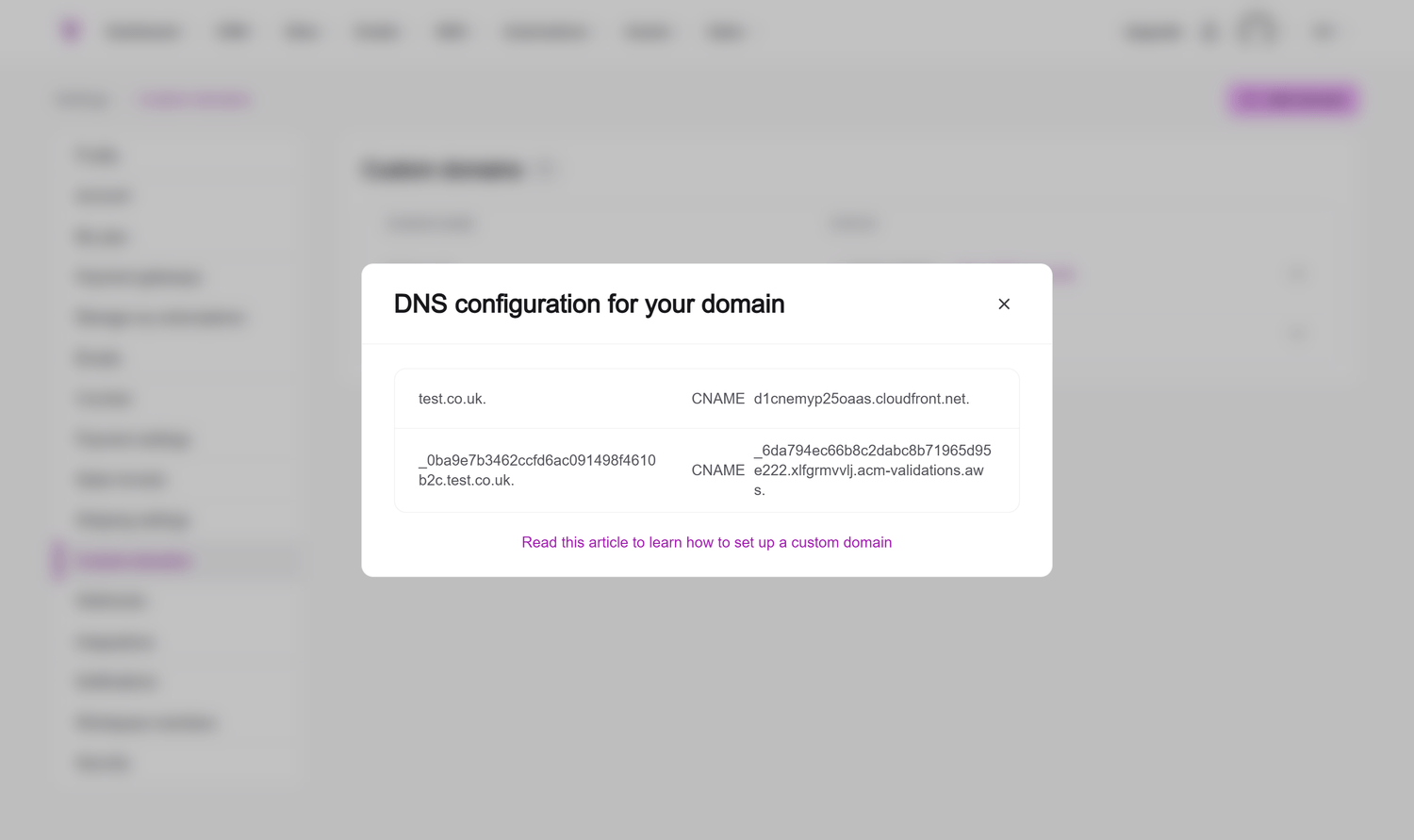
3. Add the DNS records
Log in to the place where your DNS is managed and add the records exactly as shown. Do not delete unrelated email or website records just because they look unfamiliar.
Important
DNS changes can affect your website and email. If you are not sure what an existing record does, leave it in place and ask for help before changing it with your hosting company.
4. Wait for the connection to become usable
Domain changes are not always immediate. Once the domain is recognised and usable, it can be selected when creating or updating supported Savvy Funnels resources.
5. Check the live address
Open a published page using the domain and make sure it loads correctly. Test both desktop and mobile and check that the address shown in the browser is the one you intended.
6. Keep a note of where DNS is managed
Record the provider you used for the DNS changes. This makes future troubleshooting much easier, particularly if your domain registration and DNS are managed by different companies.