
Connect Your Payment Gateway
If you want customers to pay you through Savvy Funnels, connect at least one payment gateway before you build or publish your first checkout.
Do you need this now?
If you are only collecting leads or sending emails, you can skip this resource for now. Come back when you are ready to sell through Savvy Funnels.
1. Choose the gateway you already use
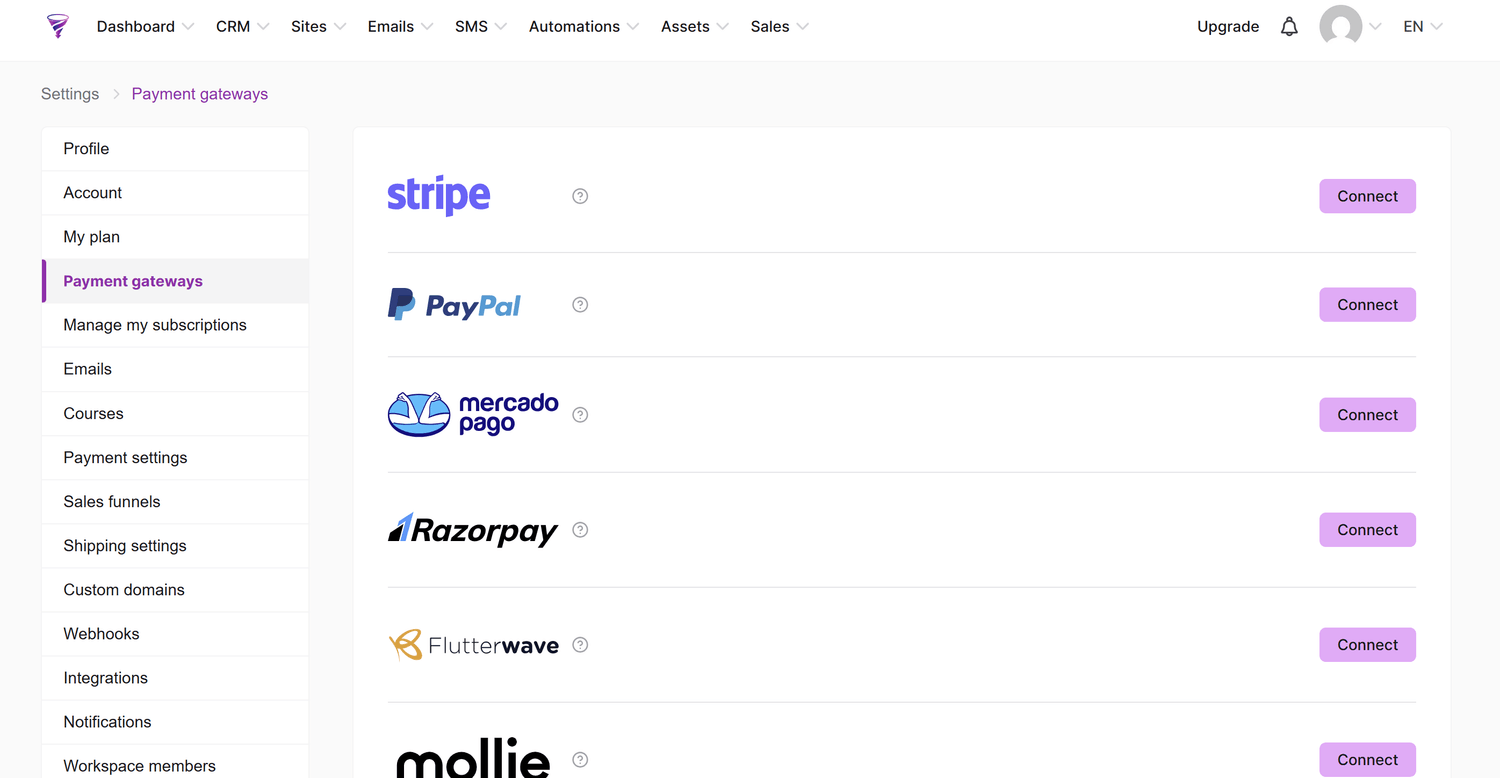
Stripe and PayPal are common choices, and other gateways may be available depending on your country and account. Start with the provider that best matches how you already take payments.
2. Open Payment Gateways
Go to your profile picture, choose Settings, then Payment Gateways. Select Connect beside the provider you want to use.
3. Sign in with the payment provider
You will normally be sent to the payment provider to sign in, confirm your business details and authorise the connection. Complete the provider's verification steps if requested.
Account-owner task
Payment gateways are a sensitive account setting. If another person helps manage your Savvy Funnels account, the account owner may still need to complete this connection.
4. Return to Savvy Funnels and check the connection
Once authorised, return to the Payment Gateways area and confirm the gateway shows as connected or ready.
5. Check currency compatibility
Payment methods available in a funnel depend on the currency you are selling in. When you create the sales funnel, only use payment methods that are available for that currency.
6. PayPal users: check the checkout fields
If you use PayPal, make sure your order form collects email address, first name and last name. Those details are required for PayPal checkout processing.
7. Test before taking real orders
When your first checkout is built, run the safest available test for your payment setup. Confirm the price, currency, payment method and next step before sharing the link. You can create Coupon Codes both in the funnel configuration or under Assets in the top menu bar.
Do not test by changing live settings
Avoid altering a real product price or live gateway configuration just to experiment. Build the checkout properly, note the intended settings, then test the finished journey.
Before you finish
At least one payment gateway is connected if you plan to sell.
The gateway account is fully verified with the provider.
Your intended selling currency is supported.
The checkout collects the fields required by your gateway.
You will test the first checkout before sharing it.